Upload a photo
Choose a JPEG, PNG or WebP image up to 10 MB.
 StylMorph.
Turn a photo into comic-book art with a focused AI comic filter. Choose expressive ink, bold halftone or clean line art while keeping the original available for comparison.
One free image per guest identity, shared across image tools. Additional images require purchased credits.
Seedream 4.5 Edit + NanoBanana Pro Edit. Same image, same fixed style; no custom prompt. Free trials and gift credits cannot be used for comparison.
Checking guest allowance…
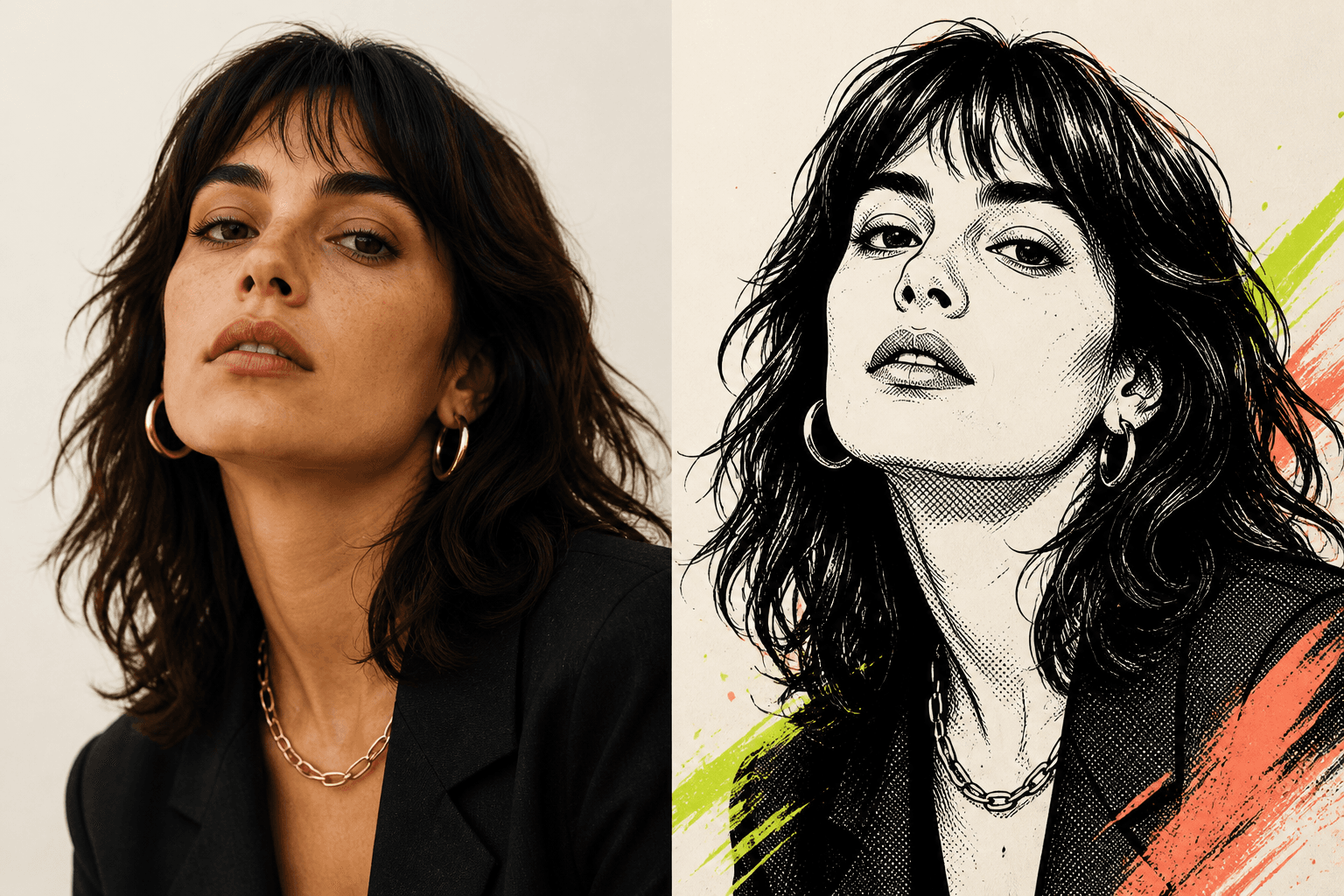
OriginalResultA comic filter redraws the visual language of a photo rather than placing a simple color layer over it. StylMorph offers three distinct comic-book directions so you can choose how much ink, print texture or restraint the result should have.
Choose a JPEG, PNG or WebP image up to 10 MB.
Compare Inked Panels, Bold Halftone and Clean Line.
Start the transformation and keep this page open while it runs.
Comic effects depend on edges, light and recognizable shapes. A portrait with visible facial features, a pet against a simple background, or an object with a strong silhouette gives the model useful structure. Very dark photos, tiny subjects and crowded backgrounds can still be uploaded, but their details may merge when converted into ink or halftone shading.
Use the comic image as a profile picture, poster concept, social post or visual reference. Inked Panels suits expressive portraits; Bold Halftone creates stronger print impact; Clean Line works when you want a quieter drawing. Generated artwork may still require review before professional or commercial use, especially when an exact likeness or brand detail matters.
It uses an image model to redraw your source with comic-book visual cues such as ink contours, line art and halftone shading. It is more than a color overlay, so every result can vary.
Portraits, pets and objects with a clear subject, visible edges and usable lighting give the filter more structure to interpret. Busy or very dark images may produce less predictable detail.
Choose Inked Panels for expressive drawing, Bold Halftone for graphic print texture, or Clean Line for a lighter modern treatment. The thumbnails compare all three using the same portrait.
StylMorph asks the model to preserve identity, pose and composition, but it cannot guarantee an exact likeness. Compare Original and Result before downloading.
No. Guest transformations are available without signup, and the current remaining allowance is shown beside the Transform button.
Uploaded originals and generated results expire automatically after 24 hours. Download a result you want to keep before its link expires.